
A security system is the best way to protect your home and business but the best security systems are the ones that are well-maintained and managed. We have created this security system maintenance checklist based on our 50 years of experience in the security industry to keep your system in top condition.
Keep reading to learn more.
Overview
Here’s a summary of our business and home security maintenance checklist:
Weekly Checklist
- Check batteries
- Clean devices
- Clear local storage
Monthly Checklist
- Update software and apps
- Run a self-diagnostic test
- Check environmental hazard sensors
- Check the status of medical alert devices
6-Month Checklist
- Check outdoor devices
- Inspect entry and motion sensors
- Check security lights
Annual Checklist
- Perform a vulnerability audit
- Check the system warranty and contract
For best performance, you should conduct weekly, monthly, and annual checks and maintenance tasks.
Weekly Checklist
Our weekly checklist consists of the following tasks:
1. Check Batteries
Not every part of a security system requires batteries, but if something does, it’s critical that you keep an eye on the batteries and make testing them a standard part of your routine. Depending on the device, you can check the battery level through a mobile app or through an LED indicator on the device. You can also keep spare or rechargeable batteries in your property for greater convenience.
2. Clean Devices
Dust and debris can accumulate on security cameras, motion sensors, and alarm keypads, potentially affecting their performance. Clean cameras and lenses with a soft, dry cloth, remove any spider webs and ensure that sensors are free of obstructions and dust. Keeping devices clean helps to maintain clear images and accurate detection.
3. Clear Local Storage
If any of the devices in your security system use internal storage or even external storage such as SD cards, check the available space weekly. For security cameras, delete old or unnecessary footage to prevent storage from reaching capacity, which could lead to missed recordings. Ensure backups are in place before deleting critical files.
This step is typically not necessary for security systems and devices that store data in the cloud.
Monthly Checklist
Performing monthly security system maintenance tasks helps identify potential vulnerabilities and ensures all components function correctly.
1. Update Software and Apps
Outdated software can lead to security vulnerabilities and system malfunctions. Ensure that all security devices, mobile apps, and control panels are running the latest software versions. Check device settings for automatic updates and enable them if available.
Users of the Habitec Security Business Premier Service Plan benefit from remote critical security updates, ensuring optimal system performance without manual intervention.
2. Run a Self-Diagnostic Test
If a device is not functioning as expected, running a self-diagnostic test can help pinpoint the issue. Some security products have built-in diagnostic tools, while others may require manual testing. Even if devices appear to be working, periodic tests help confirm their reliability. For DIY security systems, check if your warranty covers device replacements.
Partnering with a professional security provider like Habitec Security ensures access to certified technicians who can diagnose and resolve issues efficiently.
3. Check Environmental Hazard Sensors
Testing environmental hazard sensors is a simple but crucial step in security maintenance. Most fire and carbon monoxide (CO) detectors have a test button on the faceplate to confirm they are operational. Flood sensors may have a similar test function or can be placed in water to ensure an alert is triggered. Any non-responsive devices should be replaced promptly to maintain safety.
4. Check the Status of Medical Alert Devices
Many models feature a test button on the faceplate, and some include an LED light that blinks when testing is required. If pressing the test button results in a failure message, replacing the unit is recommended. For devices without a test button, contact your provider to perform a remote status check.
6-Month Checklist
Checking the components of your security system every 6 months helps ensure all components remain in optimal condition, especially after seasonal weather changes.
1. Check Outdoor Devices
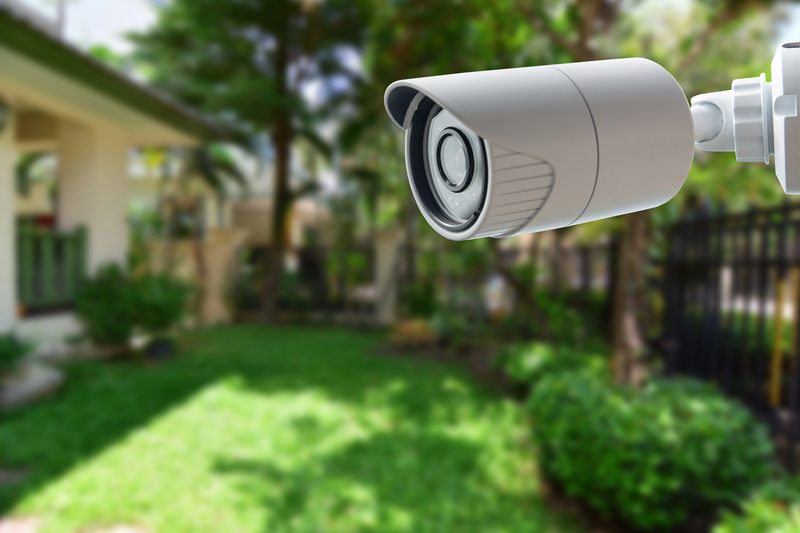
Walk around your property to inspect all security devices, especially your outdoor cameras. Ensure that cameras are properly aligned for the best coverage and check for any loose mounting brackets or disconnected wiring. Weather conditions over time can impact device integrity, so verifying secure installations and proper functionality every six months helps maintain a reliable security system.
2. Inspect Entry and Motion Sensors
Test motion sensors by walking into their detection range while armed, verifying that they trigger as expected. For entry sensors, open and close doors or windows a few times to ensure they respond properly. Additionally, check that they are securely attached. If a sensor is unresponsive, try resetting it or replacing it if necessary.
3. Check Security Lights
Ensure security lights are properly positioned to illuminate key areas of your property. If they are motion-activated, test them by walking into their detection zone, similar to motion sensors. If lights are dim, flickering, or not functioning, replace bulbs or the fixture itself as needed to maintain effective visibility and security during the night.
Annual Checklist
A yearly review of your security system helps identify potential weaknesses. It is also a good moment to reevaluate your security needs.
1. Perform a Vulnerability Audit
An annual security audit helps assess potential risks and improvements. Here are some tasks you can do:
- Trim any bushes or trees obstructing security cameras or motion sensors
- Inspect door locks, knobs, and hinges for loose screws and tighten them if needed
- Replace outdoor light bulbs to ensure proper illumination
- Reposition security cameras if their angles are no longer optimal
- Re-evaluate whether your current security system still meets your needs
- Consider upgrading outdated devices, such as older security cameras
2. Check the System Warranty and Contract
Review your security system’s warranty and service contract to see if any devices are eligible for free replacement before the warranty expires. If possible, renew the warranty for continued coverage. Some professionally installed systems offer upgrade options when renewing service contracts, allowing customers to enhance their security setup with the latest technology.
Additional Steps
Here are some additional steps you can implement in your security system maintenance routine.
Conduct a Fire Inspection
Annual fire inspections are more than just to keep up with state-mandated regulations. They help you, as a business owner, understand your risks and the ways you can mitigate them. Fire inspections can also provide you with insight into how to best update or modify your existing security system to prevent fire hazards throughout your property.
Habitec Security offers fire inspection services to test and inspect components of your fire system. Our technicians are up-to-date with all NFPA standards to make sure your fire system is too. We can even take extra steps like cleaning the initiating devices of your fire alarm or measuring the sensitivity of your smoke detectors, to both fight false alarms and ensure code compliance.
Work With a Great Company
Working with a reputable security systems provider offers numerous benefits, including professional installation, maintenance, and monitoring services.
At Habitec Security, we provide customized security solutions for both businesses and homeowners. We have a team of certified technicians and employ cutting-edge technology to deliver reliable protection. Additionally, we operate our own central monitoring station, ensuring fast response times in emergencies. Contact us today for a free security evaluation and let us help you enhance your security system.
Risks of Neglecting Business and Home Security Maintenance
Neglecting these business and home alarm system maintenance tasks can result in a number of financial and security risks.
1. False Alarms
A poorly maintained security system is more likely to trigger false alarms due to malfunctioning sensors, low batteries, or faulty connections. Frequent false alarms can lead to fines from local authorities, unnecessary stress, and reduced trust in your system’s reliability.
2. Increased Hacking Threat
Outdated software and neglected security updates make your alarm system more vulnerable to cyber threats. Hackers can exploit weak points in an unmaintained system to disable alarms, access video feeds, or compromise personal data. The devices most vulnerable to this are those that are always connected to the internet.
3. Decreased System Performance
Dirt buildup on cameras, weakened sensor batteries, or misaligned devices can cause your security system to function improperly. If cameras capture poor footage or motion sensors fail to detect activity, your home is left vulnerable. Regular maintenance helps preserve the system’s accuracy and responsiveness.
4. Shorter Lifespan
Without proper care, security components wear out faster, leading to premature replacements. Environmental factors like dust, humidity, and extreme weather conditions can degrade system components if they aren’t periodically inspected and cleaned. Proactive maintenance extends the life of your investment.
5. Expensive Replacements
When minor issues go unnoticed or unresolved, they can result in the failure of major system components. Instead of making simple repairs or upgrades, homeowners may face the high cost of replacing an entire security system. Regular inspections help catch small problems before they become expensive replacements.
So, Why Does Security System Technology Need Upkeep?
Regular business and home security maintenance ensures your system remains up-to-date and fully functional. Software updates, hardware inspections, and periodic upgrades help protect against emerging threats and keep your security system operating efficiently. Investing time in upkeep maximizes safety and reliability while minimizing unexpected disruptions.
Continue to keep your business safe. Our security experts can perform a security evaluation and provide custom-designed, integrated security solutions backed by award-winning, 24-hour local monitoring. Contact us today!
Frequently Asked Questions
Learn more about security system maintenance.
How Do You Maintain a Security System?
Maintaining a security system involves routine inspections, software updates, and component testing to ensure optimal performance. Regularly check and clean cameras, motion sensors, and entry detectors to prevent dust or debris from affecting functionality.
Scheduling professional maintenance checks can further enhance system reliability.
How Often Should I Replace the Batteries in My Smoke Detector?
According to the National Fire Protection Association (NFPA), smoke alarms have different battery requirements based on their design. Smoke alarms with non-replaceable 10-year batteries are built to last a decade, after which the entire device needs replacement. For smoke alarms with standard replaceable batteries, it is recommended to install a new battery at least once a year to ensure continued functionality.
How Often Should I Replace My Smoke Detector?
Smoke detectors are typically effective for around ten years, but it is advisable to check the manufacturer’s guidelines for specific recommendations. Signs that indicate it’s time to replace a smoke detector include failure to respond during testing, frequent false alarms, or continuous chirping.